Adobe Illustrator Tutorials Vector Tips & Tricks Search related topics..

Showing posts with label Photoshop CC. Show all posts
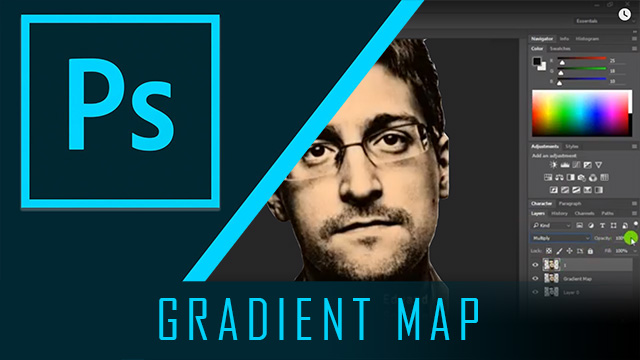
Photoshop Gradient Map


Few weeks ago a member in one of a Telegram group had asked, 'What kind of effect to create as the sample image'. He provide the image of Snowden film as shown below.

So if you look at the man character named Snowden, it used 2 tones (or 3 tones) of color to render the character's face. In Adobe Photoshop, one of the the effect that we can use is Gradient Map.
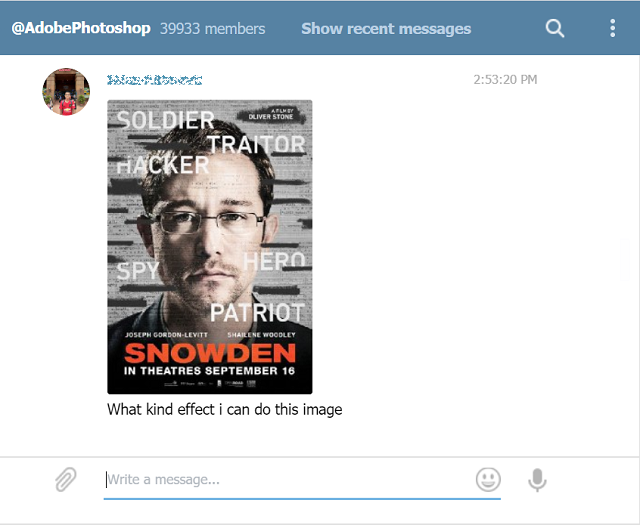


A post by a member in the Telegram group


Photoshop Gradient Map


We show you how easy to use the Gradient Map effect in Adobe Photoshop, the classic way. Just prepare your subject photo with no background to works on.


Play the Video in HD


Perhaps, the most difficult part in Gradient Map is to get the perfect tone colors.. that's all.. enjoy.


Sometimes we need to change black & white image to other color the easy way without need to remove the black first. For example, in this sample image of the classic VW Buggy, the original image is black & white jpeg image, so the idea is to change the VW Buggy from boring black to any other color of your choice, for your poster design let say.


Make It Solid Black Bitmap Image

First of all, you need to change the source to solid Bitmap Image. So open Adobe Photoshop..
→ set the image to Greyscale (to make sure its only black & white)
→ then convert to Bitmap (to make every pixel of the image is solid black pixel - Mono)
→ Save it to .PSD (.TIF, or .BMP also can)

Change The Color In Vector Graphic App - Illustrator

Open Adobe Illustrator and you can start change the color of the VW Buggy van and enjoy your design with it.
→ in Adobe Illustrator, Open the saved file
→ Select it (using Selection Tool)
→ At the Fill Color tool, change the color as you like

Video Tutorial Change Black & White Image To Any Color The Easy Way


Make sure you watch it in HD & please subscribe the Youtube Channel to support us.
enjoy..


author
vectorism
designer, illustrator, founder of vectorise.net